Features

What RIVALSFPS.GG does for Marvel Rivals

RIVALSFPS.GG is a free mod manager and launcher for Marvel Rivals on Windows 10 and 11, with skins, graphic packs, sounds and color grading.

Launcher

Launch from Home

The live Steam player count, the Marvel Rivals news feed, status cards for your setup, and one button that starts the game through your store.
RIVALSFPS.GG 1,284 Online Home
Up to date v5.5.2
Marvel Rivals
93,763 In Marvel Rivals
Launch Options
Official Marvel Rivals Balance Post · 22 days ago

Marvel Rivals Version 20260807 Balance Post

Latest news

Marvel Rivals S8 Livestream Incentive Event – Winners Announcement
We're thrilled to announce the winners of the Marvel Rivals S8 Livestream Incentive Event!
54 days ago
S8 Content Incentive Event – Winners Announcement
We're thrilled to announce the winners of the Marvel Rivals S8 Content Incentive Event!
54 days ago
Marvel Rivals Version 20260702 Patch Notes
Greetings, Rivals! We're thrilled to announce the upcoming patch drops on July 2nd, 2026.
58 days ago
Mod Manager
8 active · 21 installed
Quality Setting
Ultra Potato + 50% resolution · applies on Launch
Active Graphic Pack
Competitive Dark Gray · v2.2.0
Signature Bypass
v1.3 · by DeathChaos
Skin Manager
2 active · 15 installed

Join the community

3,786 online · 8,909 members
Join Discord

Detected Hardware

GPU NVIDIA GeForce RTX 3060
CPU AMD Ryzen 5 5600X
Memory 16 GB
Copy PC build

Finds your game

Steam, Epic Games, and Loading Bay. If it misses yours, Settings has Locate Game Folder.

Skips the launcher window

Skip Launcher is on by default. It only applies to launches from the app.

Knows your PC

Settings → PC Build shows your detected hardware, with a Copy Build button for support threads.

Stays out of the way

Closing it minimizes to the tray, so launch-scoped settings go back when the game quits.

Mod Manager

Mod Manager: every mod in one list

Reads your game's ~mods folder, so mods you installed by hand are already listed. Import a .pak, .utoc, .ucas, .zip, .7z, or .rar.

RIVALSFPS.GG 1,284 Online Mod Manager
Up to date v5.5.2
Mod Manager

Mods you installed yourself, read straight from the game's ~mods folder. Turning one off unloads it without deleting anything.

Open Mods Folder Browse on Nexus Mods
2 mods have conflicting assets (2 assets) — the expected winner loads and the rest are ignored.
View details
Installed Mods (2/2 active) Search mods… All types
Import Tools
Arcade Hitsounds _9999999_P Conflict

1 file · 1.4 MB

Retro Killsounds _9999999_P Conflict

1 file · 962 KB

Skin Mods (2/15 active)
Installed Mods by RIVALSFPS.GG (4/4 active)
Active
RivalsFPS - Competitive Dark Gray Graphic Pack

Installed by RIVALSFPS.GG · 22 MB

Active
Transparent Foliage — Competitive Dark Gray Graphic Pack

Installed by RIVALSFPS.GG · 2.7 MB

Active
Hide Decals Graphic Pack

Installed by RIVALSFPS.GG · 94 KB

Active
Map Compatibility + Reduced Shadows + Reduced Lights + Hidden Background Graphic Pack

Installed by RIVALSFPS.GG · 111 MB

Turn one off without deleting it

The switch unloads a mod and leaves the file where it is.

Conflict detection

Names enabled mods that share a game asset. It won't pick a winner for you.

Flagged mods

A Flagged badge marks mods the app knows can get accounts temporarily banned.

Fix Mods for Game Update

When a game update changes how mods are packaged, this updates the ones left behind.

Quality

Quality: trade resolution or texture detail for frames

Lower Render Resolution works on any graphics card. The Quality presets lower texture detail through the NVIDIA driver, so they are NVIDIA only.

RIVALSFPS.GG 1,284 Online Quality
Up to date v5.5.2
Quality Settings

Two ways to buy FPS. Lower Render Resolution works on any graphics card; Quality presets are NVIDIA driver tuning — the classic potato look. Affects Marvel Rivals only, and everything is put back when the game closes.

Reset Quality

Active Quality Preset

Presets from RIVALSFPS.GG apply when you start the game with the Launch button — your settings are changed for that session only and put back when the game closes.

Lower Render Resolution
Renders the game smaller and scales it back up — the biggest FPS gain here, on any graphics card.
Performance (50%)
Preset Library

NVIDIA cards only, since presets work through the NVIDIA driver.

Max FPS
Ultra Potato

Everything looks very low quality.

Deactivate
High FPS
Potato

Everything looks low quality.

Activate
Balanced
Standard

Everything looks slightly lower quality.

Activate

Lower Render Resolution

Renders smaller and scales back up. Needs the game on DLSS, TSR, FSR, or XeSS.

Three NVIDIA presets

Ultra Potato, Potato and Standard are all NVIDIA only and lower texture detail. They need the Signature Bypass.

Only on a launch from here

Armed in the tab, applied when you press Launch, put back when the game closes.

Graphic Packs

Graphic Packs: retexture the maps

Colorways in a library, one active at a time, each built on your PC from your own game files.

RIVALSFPS.GG 1,284 Online Graphic Packs
Up to date v5.5.2
Graphic Pack Settings
What's a Graphic Pack? Simpler, faster map and environment textures — an FPS boost that replaces what the game draws.

Pick a preset or tune each layer. Layers apply on top of your graphic pack — for the textures they cover, the layer wins.

Custom Pack Open Graphic Packs Folder
Preset Max FPS
Foliage Style Transparent
Foliage Res N/A
Visual Effects Default
Characters Default
Decals Hidden
Shadows Reduced
Lights Reduced
Background Hidden
Apply

Active Graphic Pack

Packs from RIVALSFPS.GG apply when you start the game with the Launch button. Packs you imported yourself always apply.

Graphic Pack Library

Reset Packs
Competitive Dark Gray v2.2.0

Dark gray textures, made by us

Deactivate
Competitive Gray v2.2.0

Light gray textures, made by us

Activate
Amethyst Dawn v1.0.0

Amethyst & cream textures, made by us

Activate
Black Crimson v2.0.0

Black & crimson textures, made by us

Activate
Royal Blue v2.0.0

Royal blue & gold textures, made by us

Activate
Rose Gold v2.0.0

Rose gold textures, made by us

Activate
Create Your Own Pack

Choose your own colors. It's built from your game's own textures, just like the packs above.

Create

Six colorways in the box

Competitive Dark Gray, Competitive Gray, Amethyst Dawn, Black Crimson, Royal Blue, and Rose Gold.

Graphic Pack Settings on top

A Preset dropdown plus eight settings, for any of the app's packs or none.

The Max FPS preset

Lights and Shadows on Reduced, Foliage Style on Transparent, Decals and Background on Hidden.

Legacy Graphic Packs

Quake V3 and Quake V3 Blue: Retro Quake textures by Matt (ko-fi.com/matt20).

What the measured settings are worth

Setting What it changes In testing
Lights: Reduced Turns off placed lamps and accent lights, raises ambient light. About 7% more FPS in testing.
Shadows: Reduced Turns off the shadows lights and props cast. About 2% more FPS in testing.
Background: Hidden Hides the far skyline outside the playable area. About 2% more FPS in testing.
Competitive Dark Gray Dark gray map and environment textures. About 2% more FPS in testing, and about 2% more FPS in testing on top of Max FPS.

The other colorways have no published figure. How these were measured

Skin Manager

Skin Manager: character skins, sorted by hero

Every skin mod you own, grouped under the character it replaces and named with the real costume name from your game.
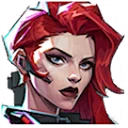
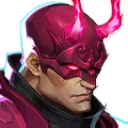
RIVALSFPS.GG 1,284 Online Skin Manager
Up to date v5.5.2
Skin Manager
Browse on Nexus Mods Open Skins Folder

Custom character skins. Client-side visuals only — other players see the default skin.

Installed Skin Mods (2/15 active)
Collapse all Tools Import
Black Widow 2/3 active
BW-RoséEclipse v1.2
Replaces Black Widow — Phoenix Widow
RoséEclipse Tattoos Hidden
Replaces Black Widow — Phoenix Widow
Load first
CoyboyBW
Replaces Black Widow — MRS. BARNES
Daredevil 0/2 active
daredevil_attorneyatlaw_hitmanstyle Broken
Replaces Daredevil — SHADOWED START
MattBase
Replaces Daredevil — Default, FEARLESS ORIGIN, SHENLOONG'S CREED, Twilight Aurora, WILL OF GALACTA, SONAR SAVIOR
Invisible Woman 0/1 active
PurpleInvis_DefaultHair
Replaces Invisible Woman — The Life Fantastic
Iron Man 0/1 active
zVegetaAsIronMan
Replaces Iron Man — Default

A real 3D preview

Renders the mod's mesh, cel-shaded and posed like the hero screen. Recolors preview too.

Run as many as you like

One per costume slot, and Use this one picks between two that share a slot.

Add-ons on top

Add-ons such as tattoos show on top of their skin. Load first fixes covered ones.

Client side only

You see the skin. Everyone else in the match sees the default costume.

Sounds

Sounds: your own hit, kill and announcer sounds

29 replaceable game sounds across Combat, Killstreaks, Healing, Kill feed, and Announcer. Assign your audio and the app builds it into a mod.

RIVALSFPS.GG 1,284 Online Sounds
Up to date v5.5.2
Sounds

Replace the game's hit, kill and kill-feed sounds, and the announcer's calls, with your own audio, then build them into a mod.

Browse Sounds
Library 4
Combat 0/4
Killstreaks 0/7
Healing 0/2
Kill feed 0/4
Announcer 0/12
Drop a folder
Files matching slot names fill automatically.
Combat 4 slots · none assigned
Bodyshot hit
Drop a .wav, .mp3 or .ogg here, or click to browse
Browse
Headshot hit
Drop a .wav, .mp3 or .ogg here, or click to browse
Browse
Bodyshot kill
Drop a .wav, .mp3 or .ogg here, or click to browse
Browse
Headshot kill
Drop a .wav, .mp3 or .ogg here, or click to browse
Browse
Name your sound mod
_9999999_P.pak
Load mod Build sound mod

Fill one slot or all of them

Drop a .wav, .mp3, or .ogg on a slot. A folder fills slots by filename.

Set the level before you build

Per-slot gain with a clipping warning. Preview plays at the level you set.

Open one back up

Load mod reads a finished sound mod back in, so you can swap a clip.

Color Correction

Color Correction: grade the game like footage

Vibrance, Contrast, Midtones, and Black level, with four presets: Default, Soft, Vivid, and Bold. It runs as a ReShade effect in game.
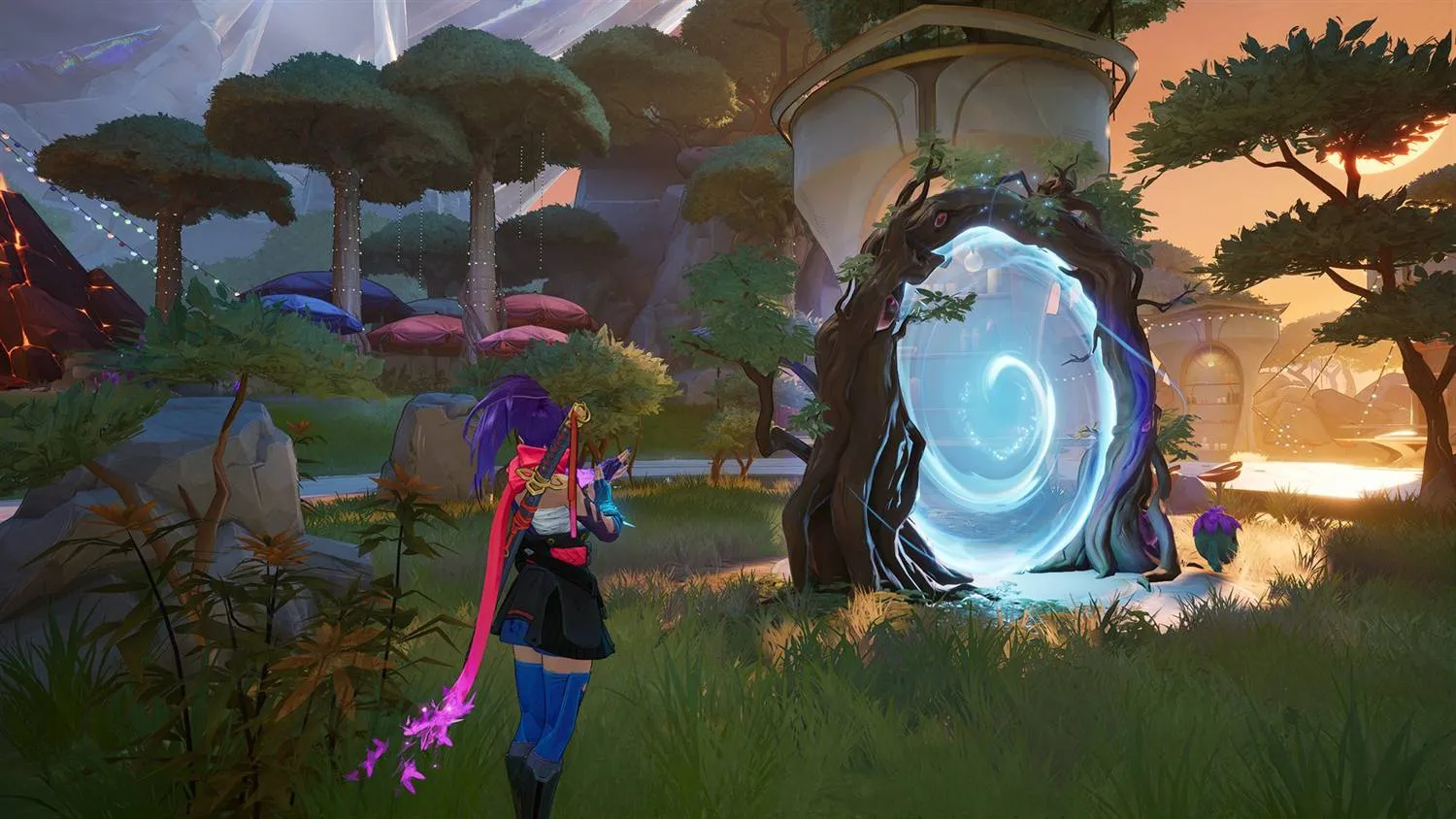
RIVALSFPS.GG 1,284 Online Color Correction
Up to date v5.5.2
Color Correction
Press and hold the image to see it untouched Live render · the same maths the game runs
Adjustments
Applied over the finished frame, in this order.
Reset
Vibrance 0.00
Contrast 0.00
Midtones 1.00
Black level 0.00
Vibrance balance
Install Steps Needs ReShade — free, open source, installed from its own site. We don't bundle it.
Download ReShade
Found ReShade_Setup_6.8.0.exe in your Downloads.
Download again
Run the installer
Opens ReShade’s setup, already aimed at the game.
Install it for me
Switch it on
Applies your settings to the game.
Activate

Preview before you install anything

A live preview on a real game frame, no ReShade needed. Hold to compare.

ReShade stays crosire's

The app never bundles or hosts it. It links the official installer at reshade.me.

Off in one keypress

End switches the effect off mid-match. Turning the feature off means ReShade never loads.

Windows Optimizations

Windows Optimizations: 14 reversible settings

Network, system, GPU, power and input settings in Windows. Each is reversible, and Revert All undoes the set.

RIVALSFPS.GG 1,284 Online Windows Optimizations
Up to date v5.5.2
Windows Optimizations

OS-level optimizations applied outside the game — registry and system settings that cut input and network latency.

Revert All

Network

TCPNoDelay Requires Restart

Disables Nagle's algorithm so packets send immediately instead of batching — steadier ping in hitreg-critical moments.

Apply
Network Throttling Off Requires Restart

Lifts Windows' background network-throttling cap so game traffic is never rate-limited behind other apps.

Apply
Update Seeding Off

Stops Windows Update seeding your upload to other PCs — no more update peer-sharing eating your uplink mid-match.

Apply
Network Adapter Full Power

Stops Windows powering down your network adapter to save energy and pins Wi-Fi to maximum performance — steadier ping, especially on battery.

Apply

System

Windows Game Mode On

Turns on Windows Game Mode so the OS prioritizes Marvel Rivals and holds back driver installs and update nags mid-match.

Applied Revert
Background Recording Off Requires Restart

Stops Windows' silent background recording from holding a rolling video buffer and sharing your GPU encoder while you play.

Apply

GPU

Hardware GPU Scheduling Requires Restart

Lets the GPU schedule its own work instead of leaning on the CPU — can trim a little render latency on supported cards.

Apply
Prefer High-Performance GPU

Tells Windows to run Marvel Rivals on your dedicated GPU — the fix for laptops that quietly render on the integrated chip.

Apply
Max Refresh Rate

Sets your monitor to its highest refresh rate — the single biggest smoothness win if a panel is stuck at 60Hz.

Apply

Power

Ultimate Performance Plan

Unlocks the hidden Ultimate Performance plan so the CPU stops parking cores and dropping clocks mid-fight.

Apply
Power Throttling Off Requires Restart

Stops Windows efficiency-throttling background apps, so Discord and your capture software keep full speed while you play — costs battery on laptops.

Apply

Input

Mouse Acceleration Off

Disables Enhance Pointer Precision so cursor movement maps 1:1 to your mouse — no hidden acceleration on your aim.

Apply
Accessibility Popups Off

Stops the Sticky, Filter and Toggle Keys hotkey popups stealing focus mid-match — any feature you actually use is left untouched.

Apply
Xbox Button Popup Off

Unbinds the controller's Xbox button from popping the Game Bar overlay mid-match — Win+G and capture still work.

Apply

Every value is backed up before it's changed — Revert restores the Windows default. Tweaks marked Requires Restart take effect after a reboot.

Network

TCPNoDelay, throttling, update seeding, and adapter power.

System and power

Windows Game Mode, background recording, power throttling, and the Ultimate Performance plan.

GPU

Hardware scheduling, the dedicated GPU, and max refresh rate.

Input

Mouse acceleration and the popups that steal focus mid-match.

Settings

Settings: launch, display, diagnostics and app options

Five tabs: Game Install, Launch, Display, Diagnostics, and App. Everything the app changes can be put back from here.

RIVALSFPS.GG 1,284 Online Settings
Up to date v5.5.2
Game Install Launch Display Diagnostics App
Search all settings…
Game Install

Where Marvel Rivals lives, and which launcher starts it.

Game Launcher

Choose which launcher starts Marvel Rivals and where the signature bypass + PAKs get installed.

Game found Steam Not found Epic Games Not found Loading Bay
C:\Program Files (x86)\Steam\steamapps\common\MarvelRivals Locate Game Folder
System Components
Signature Bypass

Required to let the game load mods and graphic packs. By DeathChaos.

Ko-fi Uninstall

Signature Bypass

Lets the game load mods. DeathChaos's work, redistributed with permission. Windows usually prompts on install.

Quick-launch desktop shortcut

Off by default. Double-clicking it does the same as pressing Launch in the app.

Updates

By default, updates install in the background. How updates install can ask first instead.

Discord and analytics

Discord never shows your mods. Usage stats are on by default, under a hashed ID.
Download

Try it out now

Free for Windows 10 and 11. No account needed. Download the installer, pick your mods and packs, and launch the game from the app.

RIVALSFPS.GG is a Windows app. Open rivalsfps.gg/download on the PC you play Marvel Rivals on.

Join the Discord
Download the Windows installer anyway (15.8 MB)

Windows may show a SmartScreen warning because the app is unsigned. Click More info, then Run anyway.